
How to move to a new affiliate app without losing a link

You can move to a new affiliate app without losing a link, if you do it in the right order. Bring your affiliates over in one file. Run the new app quietly beside the old one. Switch only when both apps count the same sales.
The mistake is to uninstall the old app first and hope. This post shows what usually breaks in a move, and how to stop each thing from breaking.
If you would rather watch than read, this short film shows a move from UpPromote to Udeely. You can also get the moving checklist by email.
What usually breaks when you switch affiliate apps
Old links stop counting
An affiliate's post stays online for years. A link in a video from last spring can still send you buyers today. If the new app can't read that old link, the sale comes in and nobody gets the credit.
In Udeely: standard UpPromote links keep being tracked after the switch, and the sale goes to the same affiliate. Your affiliates don't have to change what they already posted.
Affiliates get an email they don't understand
A sign-in email from an app they have never heard of looks like a mistake, or a scam. Some will ask you what is going on. Some will just stop posting.
In Udeely: imported affiliates start in Testing mode. They get no emails and can't see Udeely until you switch them over.
A sale is paid twice, or not at all
While two apps run on one shop, both can count the same order. If both also work out a commission for it, you can end up paying twice. If neither does, your affiliate is not paid at all.
In Udeely: sales made in Testing mode are never paid by Udeely. They stay recorded in your old affiliate app. After the switch, an order that both apps recorded is marked, so you can see it.
Money already earned gets lost
Your affiliates have earned commission in the old app that you haven't paid yet. Keep the rule simple: what was earned in the old app is paid from the old app's records.
In Udeely: what an affiliate earned before the move stays recorded in your old app, and you pay that balance as you do today. Udeely works out commission on new sales only.
The safe order, in four steps
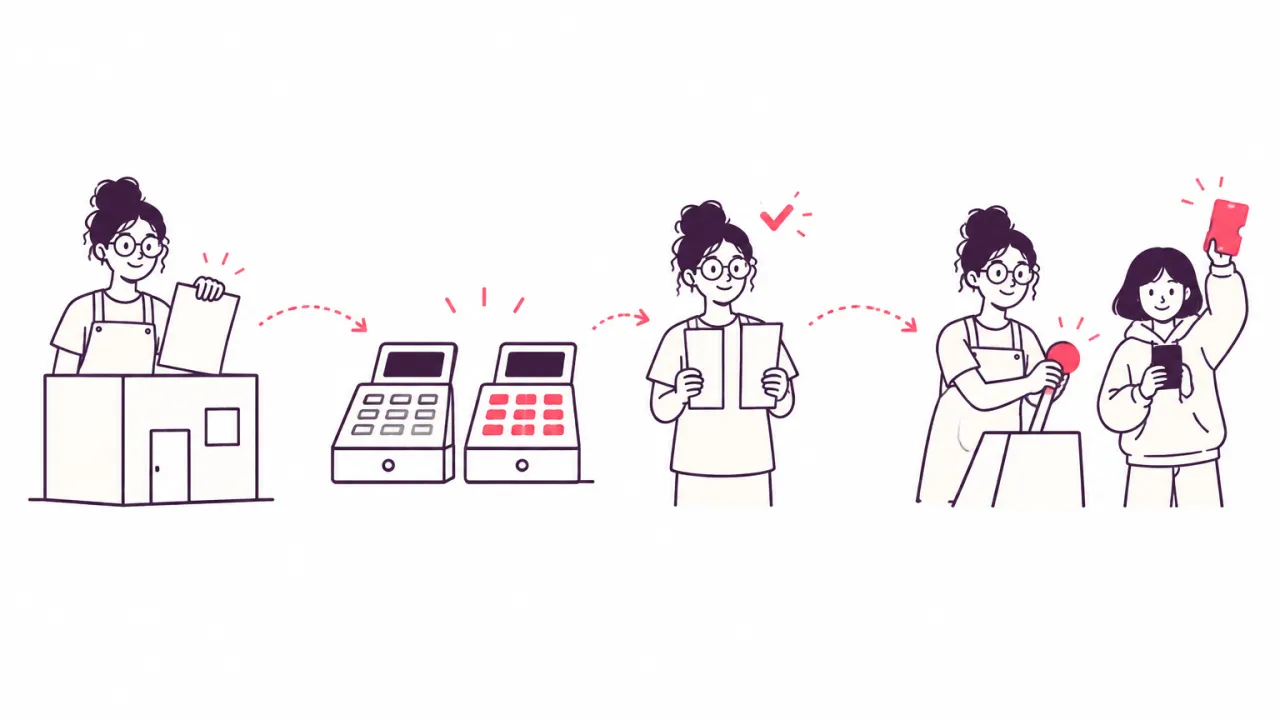
1. Bring your affiliates over in one file
Export your affiliates from the old app as a file. That one file is your whole program: names, emails, links and codes. Keep a copy.
In Udeely: you upload a CSV or Excel file. Udeely shows you what will come in before anything is saved.
2. Run both apps side by side
Leave the old app exactly as it is. Let the new app watch the same orders without telling anyone. Nothing changes for your affiliates or your shoppers.
In Udeely: Testing mode lists each order where Udeely saw an affiliate link or a discount code, and which affiliate it would credit. You can search for any order number.
3. Compare the numbers
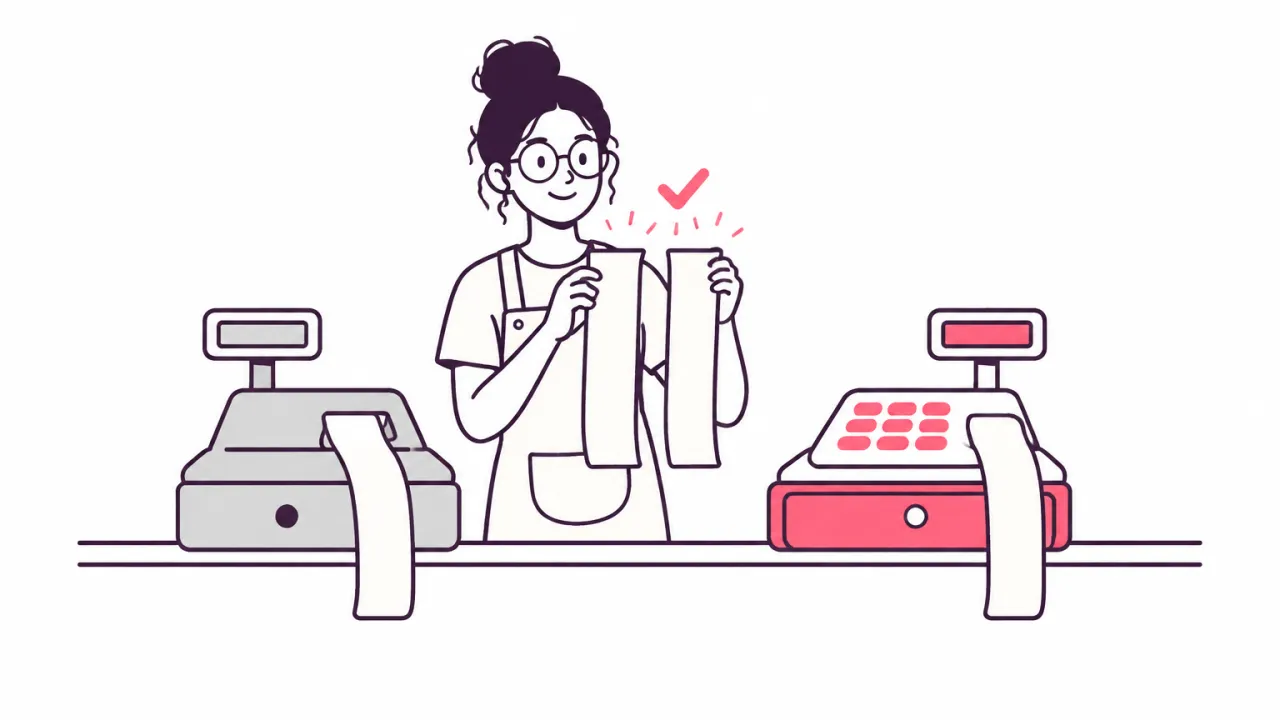
Pick a few affiliates and look at their sales in both apps. If the two lists match, you are ready. If they don't, find out why before you switch. It is much easier to fix now than after.
In Udeely: the Testing mode page shows the sales Udeely credited and the commission it would pay, so you can hold it against your old app.
4. Switch a few people, or everyone
You don't have to move the whole program in one go. Start with a few affiliates you know well, and ask them how it went.
In Udeely: you can move a few affiliates first. They get a new link and their own dashboard, and their old links keep working. Everyone else stays in Testing mode until you switch them too.
After the switch
- Turn each moved affiliate off in the old app, so nobody is paid by both apps.
- Pay the old balances from the old app's records, as you do today.
- When everyone has moved, uninstall the old app, so you don't pay commission twice.
- Send your affiliates one short message: your links still work, and here is your new dashboard.
In Udeely: when you switch, Udeely can email each affiliate their new dashboard with a link to set a password.
Check these before you start
Short links
Some apps let an affiliate have a short link with their own name in it. Not every new app can read those. Test one before you rely on it.
In Udeely: standard UpPromote links are the ones we have checked. If your affiliates use short links, place a test order through one in Testing mode and see if Udeely credits it.
Commission rates
After the import, look at what each affiliate will earn. A special rate you gave one person in the old app may need to be set again.
In Udeely: you can set a custom rate for one affiliate on every plan. Growth adds a different commission for each product.
How many affiliates your plan holds
If the new app's plan holds fewer affiliates than you bring, find out what happens to the rest before you switch.
In Udeely: the Free plan holds 30 affiliates. If your file has more, the first 30 are active and the rest wait for a place. A waiting affiliate's sales are not credited until you upgrade. Growth has no limit, and on Growth we move your affiliates for you.
Coming from a different app
Every app builds its links in its own way, so a new app can't always read them. Discount codes are simpler, because the code lives in your shop and not in the app.
In Udeely: from apps whose links Udeely can't read, your affiliates and their discount codes come over. The codes keep working. The old links stop counting, so those affiliates share their new link. This is one more reason to give each affiliate a link and a code. We explain the difference in how affiliate marketing works for Shopify stores.
A good time to tidy up
A move is also a chance to look at your program with fresh eyes. Who is still active? Who has not sent a sale in a year? Which of your customers would make a good affiliate? We wrote about that in how to start a brand ambassador program with your own customers.
Run your whole affiliate program in one app
Udeely runs your whole affiliate program in one app. You recruit affiliates, track sales by link or code, and pay commissions by payout list or store credit. You see where each affiliate's audience comes from. Affiliates get their own dashboard with live earnings, and can bring in more affiliates.
Already using another app? Test Udeely beside it first. Udeely is free for up to 30 affiliates. Growth, with every tool, is $19.99 a month. Find Udeely on the Shopify App Store.
Frequently asked questions
Will my affiliates' old links still work after I switch apps?
It depends on the new app. Ask whether it can read links made by your old app, and test one before you switch. Udeely keeps tracking standard UpPromote links after the switch and credits the same affiliate.
Can I run two affiliate apps at the same time?
Yes, for a short while, and it is the safest way to move. Let the new app track quietly while the old one carries on. Make sure only one of them works out commission for each affiliate, so nobody is paid twice.
Do my affiliates have to do anything when I switch?
Very little, if the new app keeps their old links working. They sign in to a new dashboard, and that is all. If the old links can't be read, they need to share a new link.
What happens to commission earned before the move?
It stays in the old app's records, and you pay it as you always have. The new app works out commission only on sales made after the switch.
How long should I test before I switch?
Long enough to see real orders come in through several affiliates, and to see both apps agree on them. There is no set number of days. A busy shop will know sooner than a quiet one.
Ready to start your program?
Udeely is free to start — install it and approve your first affiliate today.
Get started with Udeely